










Your channel viewers will see links here, including "subscribe" and "add as friend".
Profile
Name
LCZR
Description
Filmmaker, storyteller.
Subscribers
441
Subscriptions
Friends
Channel Comments

|
Hamzakrissaane
(11 years ago)
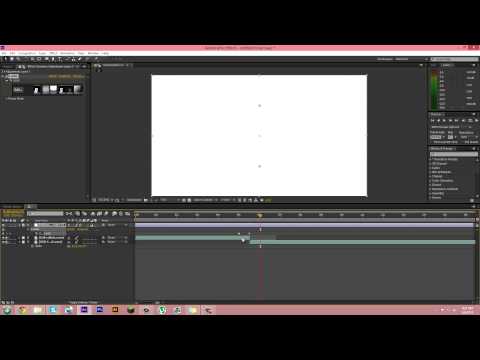
The effect where you find the spot exposure it's under : Magic bullet --> Diffusion and light--> halogen .
|

|
montgal53
(11 years ago)
Good tutorial. I do have a suggestion. You should start from "create a composition", then continuing from there. Secondly, if there are any plug-ins involved, you should say that at the beginning of the tutorial. This way the user(s) can prepare to obtain the plug-in to follow the tutorial easier. This tutorial are really helpful. Keep up the good work.
|

|
GoOnKirby
(13 years ago)
REALLY HELPFUL <3
|

|
byLCZR
(13 years ago)
When you add an adjustment layer, make sure its selected and add the effect. It'll be on the adjustment layer.
|

|
matthedwards
(13 years ago)
I think you have to hit snooze on your alarm clock bro. Great vid very helpful... Just that beeping bugged the hell out of me
|

|
fly4me358
(6 years ago)
can you show the transition effect with no plugins ? would be awesome. thanks sir
|

|
joakimmeier
(12 years ago)
thnx, but how could u not tell us that u were using that plugin magic bullet or whatever? And with that how to add the effect. like a joke? =P
|

|
MitchhVII
(13 years ago)
Thank you!
|

|
steeziebeezy
(13 years ago)
Thanks mom
|

|
WadeDMcGinnis
(13 years ago)
What effect did you apply to the adjustment layer to get the option of "look"
|
|
|
WadeDMcGinnis
(13 years ago)
Never mind mate, found that you are using Magic Bullet :)
|

|
saas2620
(13 years ago)
How did you get the effect "look" to appear on the adjustment layer??
|
|
|
byLCZR
(13 years ago)
really? thanks luke!
|
|
|
byLCZR
(13 years ago)
it wasnt my alarm lol its a noise my mic makes idk how to fix it :p
|

|
TheOnlyOrganikaHD
(13 years ago)
You never tought Me how to edit :c teacher.?
|

|
whomperjr
(11 years ago)
Why is this tutorial so confusing?
|
|
|
byLCZR
(13 years ago)
forgot bro sorry
|

|
ohDero
(13 years ago)
E>
|

|
TheAndrenaline
(13 years ago)
intro song please. :) Thank you
|
|
|
byLCZR
(13 years ago)
lol
|
Add comment