






Your channel viewers will see links here, including "subscribe" and "add as friend".
Profile
Name
Ghostwalker2061
Description
Subscribers
109
Subscriptions
Friends
Channel Comments

|
Ghostwalker2061
(17 years ago)
Glad you liked it. Though, there is a higher quality button. I just want to keep my vids well within the limits so I don't have to worry too much about time.
|
|
|
Ghostwalker2061
(17 years ago)
If I have the time, I might repost it with voice despite me hating the sound of my voice when I talk.
|
|
|
Ghostwalker2061
(18 years ago)
I just put color on top of color. You can do that in Photoshop CS2. Just make sure your brush is set to both linear dodge and the layer is set to linear dodge. But this tutorial was made after the lighting effects tutorial which covered that step. So, go look at the lighting tutorial I made that explains how to use linear dodge.
|
|
|
Ghostwalker2061
(17 years ago)
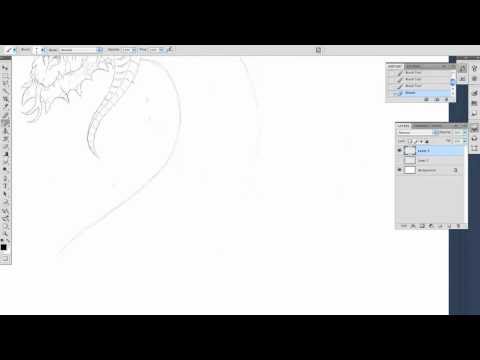
The tutorial was not made for new-comers to the program, but to show people who already know the tools that the aurora could be created by using those tools.
|

|
RewaMarlin12
(17 years ago)
Go to the filter menu > stylize > wind. it should be the last one in the drop down.
|
|
|
Ghostwalker2061
(16 years ago)
@RachelX55v I do have voice on my fire tutorial. It's just that I hate my voice recorded. So, if I were to go and do something recorded, I don't want to go back and review it.
|

|
toshio1334
(17 years ago)
thanks now my art project doesnt look like crap anymore
|
|
|
Ghostwalker2061
(16 years ago)
@itsalcorn if you want to hear my voice, then go watch my fire tutorial, which is unfinished.
|

|
ZantoriYamato
(17 years ago)
if you don't know how to use the pen tool(like me XD) you can always use a brush...a bit less clean, but does the same thing
|

|
02lcooper
(15 years ago)
good work. i was a bit curious about it near the end but revealing the cloud really finished it off. thank you for this.
|

|
Reyneeru
(17 years ago)
wow! AWESOME! COLORS!
|

|
bilankafernand0761
(14 years ago)
nice
|

|
jomaro00111
(17 years ago)
Aurora you are really amazing , so awesome photo
|
|
|
Ghostwalker2061
(17 years ago)
You do not need the extended version to do this.
|
|
|
Ghostwalker2061
(16 years ago)
@PilaProto well, yeah, that's what the Mac is for.
|

|
catrina339
(17 years ago)
woooo awesome tutorial pen tool ftw that thing is awesome
|
|
|
Ghostwalker2061
(17 years ago)
Wait, I got confused. Thought this was the other tutorial. No, this one is by Juno Reactor called Pistolero. The other tutorial had personal mixes.
|

|
Dallasarcher
(17 years ago)
awesome just wish there were more voice to it
|
Add comment