














Your channel viewers will see links here, including "subscribe" and "add as friend".
Profile
Name
liney118
Description
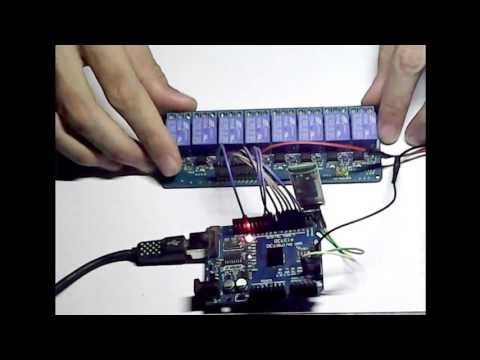
Liney118, All about electronics, Controllers and Sensors
Email me at : Ecusolutions@live.co.uk https://www.facebook.com/Liney118
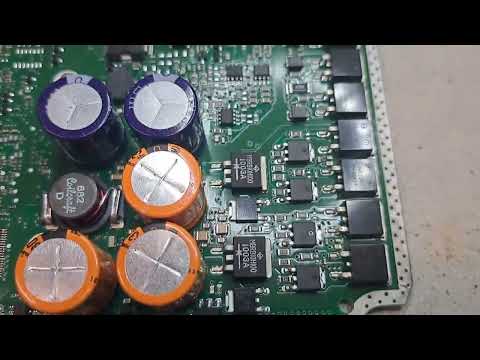
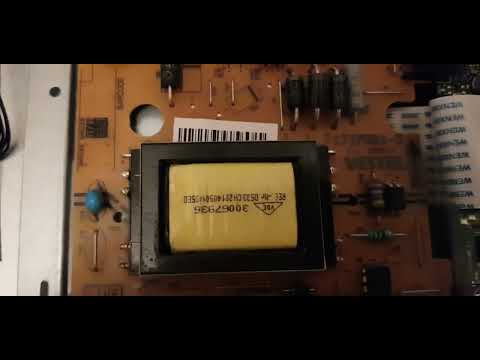
About me : I work full time repairing Engine ECU and Mercedes Soft top ECU's R129's
Facebook : https://www.facebook.com/Liney118
Subscribers
961
Subscriptions
Friends
Channel Comments

|
WanAmin
(8 years ago)
Hey man. Thanks for the great tutorial. I received your email. Appreciated it. Supported
|

|
oadamo
(8 years ago (edited))
if i had 4 relays could i switch them individually , then have another set switches to switch them in pairs by just puting the relay letter in the same switch. could you use the 16 relay board aswell.
|

|
gwhite5555
(9 years ago)
I am totally new to this development environment (I just purchased an Arduino Mega and 8 gang relay bank yesterday). I can make my way around the coding, as I've programmed in C. can you say more about the Bluetooth hardware and model graphical interface tools. I would love to push code to the board without being teathered via the wired USB port. Thank you for a great tutorial.
|

|
liney118
(9 years ago)
you just connect the 12 volt supply to vcc and ground next to the relay inputs
|

|
merkabaenergy9558
(9 years ago)
Can you please do a tutorial like this but with MIT APP inventor 2 and incorporate a sensor that switches on at certain levels ? so say a light levels meter or something like ?
|

|
audusunday7971
(7 years ago)
Hello, your work is very interesting
|

|
muratturel
(7 years ago)
Hi, thanks for the tutorial. I tried the project on Pro Mini, Mega and Uno. But none were succesfull. I can not turn the arduino on as you did with an LED turning high on...
|

|
rodmanunderhilliii8198
(8 years ago)
I saw a similar, if not the same relay on eBay. In the specifications it stated "equiped with high-current relay : DC30V 10A AC250V 10A". Have you tried using the relay to run an AC light or other device, and did the relay perform satisfactorily?
|

|
AlexWalpole
(9 years ago)
Hi, Great Tutorial, I was wondering if it would be possible to add an IR remote to this? Ive got the 4 relay version and have built it with the IR remote and then reprogrammed it for the Bluetooth but have no idea how to combine them or if its even possible, if you could help it would be much appreciated, Thanks
|

|
niteshambig9230
(9 years ago)
I want to connect 12v 2 channel relay to aurduino but i dont know which vcc to to connect the 12v .
|

|
TheGamingWorld-tr9fm
(6 years ago)
Sir... ,can you make automation controller of water tank.....????
|

|
franklj1122
(9 years ago)
What changes do I need to make to adapt it to arduino mega adk?
|

|
yogeshpatel1628
(9 years ago)
tell a place in which place i one place then the whole house control can do
|

|
TTS-go5jc
(9 years ago)
Can somebody please help me Bluetooth Electronics App keeps crashing on Google Pixel... is there an alternative app?
|

|
Mechone11
(4 years ago (edited))
What happened to your bluetooth switch app for the relays and code
|

|
raohamza4484
(7 years ago)
is that any way if my Bluetooth signal is lost then all the pins of arduino will be switch off mean no operation perform all the relays switch off
|

|
sanctuaryjames3434
(9 years ago)
Hi mate, I couldn't recognize the link to access the source code in your description. can you please help me out on this?
|
Add comment