










Your channel viewers will see links here, including "subscribe" and "add as friend".
Profile
Name
SUBZIKID
Description
Subaan Qasim • Subzikid
I'm 18 and a visual effects, video editing, motion graphics and photography enthusiast.
I share my work here and make tutorials to increase your knowledge in various editing software.
Click 'more' for more information.
I do not work for free because I do not have the time to take up free side projects.
If you wish to request some work from me, click on the links below or in the banner and fill out the form.
Feel free to message me if you want some help with any of your editing or if you want to request a tutorial, Please don't hesitate!
►Contact
Steam: subzikid786
Twitter: @subzikid
Please contact me via business inquiries below for my Skype where we can more easily discuss any business related topics.
Donations are kindly accepted to help me continue making videos and for equipment to help me pursue a future in the film making industry!
PayPal: subzikid@gmail.com
Subscribers
16.7K
Subscriptions


Channel Comments

|
barkbent4324
(12 years ago)
You completely demolished a super sexy intro with that noisy dubstep.
|

|
sectorsept
(11 years ago)
I think it might be worth mentioning that you CAN change motion blur settings in composition settings > Advanced Tab > Motion Blur > Fiddle around with Shutter Angle: and Shutter Phase: ;)
|

|
hriste1009
(12 years ago)
Thanks! Very helpful
|

|
renenova8683
(11 years ago)
Actually, you can change the settings on AE built-in motion blur. Composition Settings/Advanced/Motion Blur
|

|
dhdarts7208
(12 years ago)
You have some great tutorials man, but i think of you go into the composition settings, you can adjust the motion blur and stuff
|

|
slykuiper
(14 years ago)
Nice tutorial!
|

|
imprintedinmyheart
(11 years ago)
HI! where did you get the preset? thank you,
|

|
thinkingsaloud
(11 years ago)
thx , bro <3
|

|
TDashDog1
(12 years ago)
5:16 *Skip to it if you want the typography tut*
|

|
blkindigo
(12 years ago)
When i add the ae motion blur to text, the text disapears. Why is that?
|

|
samabizzle
(11 years ago)
What is the name of that song in the intro? I've been trying to find it for ages now. D:
|

|
sameereo
(13 years ago)
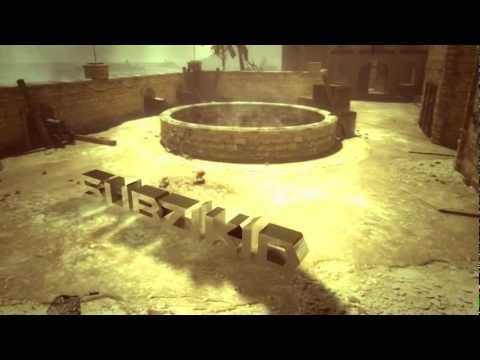
Background looks sick! Are you really from Pakistan?
|

|
Excif
(14 years ago)
nice .. thanks ;)
|
|
|
Excif
(14 years ago)
I have a question for you ... Ummm when u have done that logo of SK .. So what program did you use ? Couse i want to do my own logo
|

|
ant.everest
(10 years ago)
is this a plug in? or already in aae?
|

|
SUBZIKID
(14 years ago)
@DejaVuiNFiniTY WinRar is an extraction/compression program... It has nothing to do with sony vegas pro ..
|

|
VicRamone
(13 years ago)
Plz make a tutorial for slow motion on Ae
|
Add comment