






Your channel viewers will see links here, including "subscribe" and "add as friend".
Profile
Name
Graphician
Description
Subscribe for Adobe Tutorials , Photoshop, Illustrator, After Effects, Generative AI Firefly, and others, that we can create digital content, digital art, motion graphic and graphic design using Computer Graphic Software Application.
Subscribers
98.5K
Subscriptions
Recent Activity
 |
Graphician
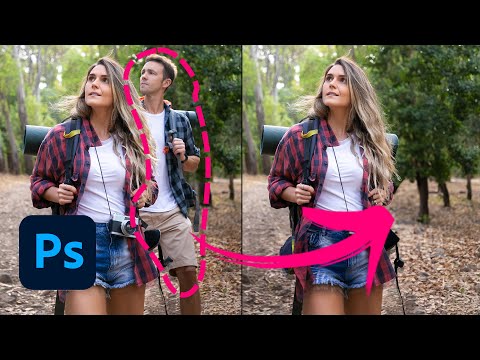
Struggling to make your photo composites look realistic? Learn how to color match two photos in Photoshop 2026 using the new AI-powered "Harmonize" tool. 🎨
In this quick tutorial, I break down a simple, professional workflow to blend any subject into a new background seamlessly. You’ll learn how to use automated background removal and AI color matching to save hours of manual editing time.
In this video, you’ll learn:
- How to quickly mask subjects with the "Remove Background" AI.
- How to use the "Harmonize" feature to match colors instantly.
- Tips for refining variations for a natural, professional finish.
Watch the full step-by-step breakdown here:
https://youtu.be/9-PcYqcmKV0?si=IsOBP...
🚀 Ready to take your design projects to the next level?
Check out our full library of creative tutorials and resources at GraphicianArt.com and subscribe for more Photoshop tips!
#Photoshop2026 #ColorMatch #GraphicDesign #PhotoEditing #AI #Graphician
  |
|
|
Graphician
Quick Photoshop tios for colorize Black & White image.
Happy sharing and save it for later. #photoshop
Watch here,
https://youtu.be/kOzNHd-SUxs?si=geD7n...
  |
|
|
Graphician
Photoshop tips to change color of objects.
Happy sharing and I hope this helps. #photoshop
Watch here,
https://youtu.be/Co9RzqeM_pk?si=YZsEb...
  |
|
|
Graphician
#Photoshop Quick tool to remove image background. Happy sharing and I hope this helps.
Watch here,
https://youtu.be/nt2HV5wU-4I?si=hf4DZ...
   |
|
Friends (2)


Channel Comments

|
TrilhanaSerraByAntonio
(4 years ago)
Welcome to my dear Channel, thanks for the love, always count on me, a big hug from my friend Antonio.
|

|
salomonism
(2 years ago)
thanks. you helped me a lot. it was crucial to the project im on
|

|
RDYART
(3 years ago)
Some time i learn it too. This app really-really incredible to editing. Thankyou for your sharing
|

|
bsb-f3b
(2 years ago)
You are a life saver man.
|

|
ActNaturally
(2 months ago)
Nice to know how to do this after effects.
|

|
technocrath1
(4 years ago)
Always appreciate tutorials, if not for myself then for others wanting to move forward in graphic effects. yours is a very good illustration , straightforward and easy to follow. Keep up the good work.
|

|
Zyoki_Editz
(1 year ago)
Thank you sooooooooooooooooooo much, this really helped me
|

|
yusufmafif
(2 years ago)
Thank you so much
|

|
raw_pc
(1 month ago)
Epic, thanks
|

|
s3an.c
(11 months ago)
Very useful tutorial, thank you!
|

|
Oliviacamptonillustration
(2 years ago)
Yes THIS IS PERFECT ILL USE IT TOMORROW THANK YOU
|

|
alitopedits
(2 years ago)
thanks
|

|
NM-Land
(3 years ago)
Really useful tutorial
|

|
zaynqureshi56
(2 years ago)
smooth as butter:cat-orange-whistling:
|

|
ReeshaWaIbdaa
(4 years ago)
I am glad to welcome you, great job, thank you very much from the bottom of my heart !!
|

|
mythgraphixvisuals
(2 years ago)
Just what I needed!
|

|
vladislavkorotkov8290
(1 year ago)
Thanks, very useful and almost straight to the point!
|
Add comment