


















Your channel viewers will see links here, including "subscribe" and "add as friend".
Profile
Name
Thomas Shue's World
Description
Videos of things I have learned and experiences in my life. Please Subscribe, it’s free and helps me make more content. Feel free to ask questions, I will help if I can. Sincerely, Thomas Shue
Subscribers
10.2K
Subscriptions
Recent Activity
 |
Thomas Shue's World
Best 211 video on YouTube
|
|
|
Thomas Shue's World
ATF withdraws the Letter about AR-15 Pistol Braces today!
https://www.atf.gov/firearms/docs/gen...
|
|
|
Thomas Shue's World
Well, finally 10,000 views. Thanks to all the people who take time to watch my videos and subscribe. It really makes a huge difference when you subscribe. Thanks again, Thomas Shue
|
|
|
Thomas Shue's World
Thanks for taking time to watch my videos. I just try to help people like me understand stuff. Learning stuff in this world doesn't have to be difficult, or cost a bunch of money. You just need to find the right guy.
I make videos for the sole purpose to try an help people, not for money. Again thanks, this video is at 10,000 views.
|
|


Friends
Channel Comments

|
geefoo4627
(11 years ago)
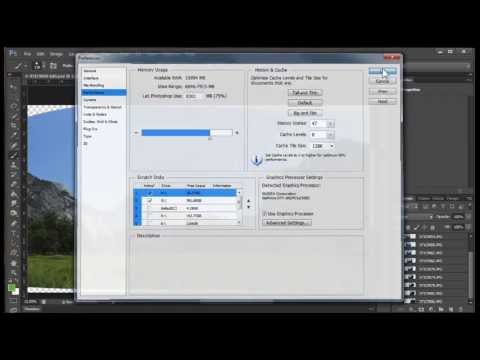
2:30..."now you want to add some images....that's pretty simple" ................................ we will just skip that step, and the next one and the next one
|

|
pepebelmonte3712
(6 years ago)
Awesome...
|

|
anthonywhitemagician
(6 years ago)
Thank you - this was extremely helpful!
|

|
gsmusic1972
(7 years ago)
fuck you dude
|

|
kimmikosi
(7 years ago)
Wonderful tutorial. I just paused a few time to catch up... Incredibly helpful -thank you
|

|
kamoflasgidi
(8 years ago)
it bit too fast for me too.....,sorry but nice job
|

|
chriscaldwellvoiceovers
(8 years ago)
Great tutorial! Thank you. Exactly what I was looking for!
|

|
poeticgeenetikstv1000
(8 years ago)
DAMN!!!! SHE"S FINE!!!!
|

|
av-bf7yd
(8 years ago)
thanks
|

|
teddysurf
(8 years ago)
Soooo...he doesn't know what hes doing....
|

|
portlandexotics4633
(8 years ago)
WAYYYYYY TOOOOOO FASTTTTTT
|

|
gokharol
(8 years ago)
not what I expected indeed
|

|
loisnichol3578
(9 years ago)
Same for me. I am new to Photoshop and cannot keep up. Not for beginners.
|

|
tonybarrett8543
(9 years ago)
This way to fast, your also explaining it as if you were telling an advanced user how to use just another function..
|

|
marioc6929
(9 years ago)
Thanks for the tutorial. For anyone who doesn't know how to load multiple images into one layered document.
|

|
Countrycharm17
(9 years ago)
Thanks Thomas! Super helpful!
|

|
Societyh4l
(9 years ago)
Thanks! very simple and easy stuff. I know how the photoshop works so for me this tutorial was very helpful, just didn't know how to make collage, after this imma master at collage makin. Thanks again
|
Add comment