














Your channel viewers will see links here, including "subscribe" and "add as friend".
Profile
Name
Cineversity
Description
Cineversity is Maxon’s official learning channel for Cinema 4D and the wider Maxon ecosystem. Here you’ll find practical tutorials, quick tips, workflow breakdowns, and curated learning series designed to help artists grow their skills and work more efficiently.
We focus on real production techniques, problem-solving, and creative exploration, whether you’re just getting started or refining advanced workflows. Many of these videos are part of larger learning journeys available on Cineversity at maxon.net, where tutorials are organized into structured series and courses.
This channel is your entry point for discovery and inspiration. For deeper learning paths, downloadable project files, and structured courses, visit Cineversity on Maxon’s website and continue your creative journey: https://cineversity.maxon.net/
Subscribers
47.2K
Subscriptions

Channel Comments

|
montroseedmonds6390
(5 years ago)
Love how you go into depth about everything except how to import.
|

|
crehenge2386
(5 years ago)
Tells you everything, except how to import objs
|

|
Sagggg111
(6 years ago)
for you the mtl files come in automatically however for the rest of every single other person in the comments we arent getting any mtl files with our obj
|

|
JackieSmalls
(6 years ago)
I have never, not once imported an obj file and had the textures come through as well. I guess i am unique. But, it would have been cool if he did more than just read what we could see in front of us on the plug in dialogue box.
|

|
olgapichugina62
(8 years ago)
Yes of course you also need to know how to correctly import OBJ files.
|

|
bendolmanb
(7 years ago)
make sure you extract files first, otherwise you cant drag and drop object from zipped file
|

|
НООКАТАТТАРЫ
(5 years ago)
Thank you very much I've been looking for this for a long time
|

|
christlamiousgraphix7230
(8 years ago)
Can u teach us how to import cinema 4d work to substance painter pls ....
|

|
ChiroTheSkunk
(5 years ago)
mad lads, just drag the .OBJ to the cinema 4d screen and thats all.
|

|
marysketch4772
(6 years ago)
You don't show how to "load" it in to Cinema 4D. Just skipped over that in a second. What's with that?
|

|
DontCare395
(6 years ago)
That is a good tutorial
|

|
abdumalikovdiyorbek1003
(3 years ago)
Thank you brooo
|

|
kienthucsharktank8653
(7 years ago)
AFTER YOU OPEN THE FILE FROM THE COMPUTER DOWNLOAD IT ONLY SHOW THE BLACK WHITE MATERIAL WITHOUT DISPLAY COLOR (SPECIFIC IS TEXTUSE). OPENING THE BODY IS THE CHARACTER FROM MIXANO. HOW TO TRANSFER TO COLOR DISPLAY (TEXTURE). THANK YOU
|

|
terneteando
(5 years ago)
Muchas gracias.
|

|
TommyLikeTom
(6 years ago)
when I import the model all the textures are white
|

|
natazer
(5 years ago)
This has never worked right for me. Just blank white materials.
|

|
blaster_bl
(7 years ago)
COOOOOOOLLLLLLL
|

|
christinalehmkuhl4985
(7 years ago)
Hey, I have a question. I bought a model which includes materials and textures. No mtl file tho. What do I have to do if I only have a .fbx and a .max file? If i open the obj or the fbx file, the materials appear white and the model as well... Happy to hear your or anyones thoughts on this..
|

|
bobbyfilia8513
(4 years ago)
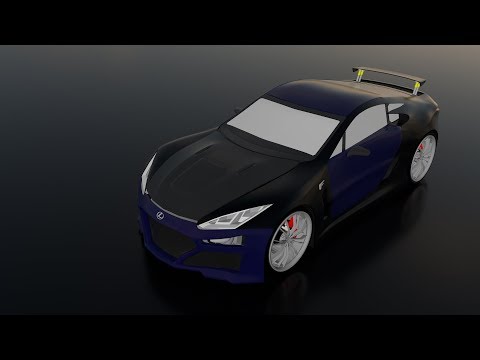
does anyone have a link for the car
|
Add comment